The Movement Challenge
After rendering my first hypercube, I thought movement would be the easy part. “Just map some keys to directions, right?” Wrong. It took a while to wrap my head around a way to make it feel intuitive.
Here’s the problem: humans have never needed to navigate four-dimensional space. Our brains, our language, our entire concept of movement is built around three dimensions. So when I sat down to design movement controls for 4D space, I spent a lot of time stuck trying to expand our notions using the wrong intuitions and heuristics. Here’s the insight I finally came up with.
Deconstructing Movement: From 3D to 4D
Let’s start with what we know. In 3D games, you typically have at least five movement keys:
- The “peculiar” forward direction (↑) — I call it peculiar because it’s the direction you naturally face.
- Backward (↓) — retreat along the same axis.
- Left and right strafing (← →) — slide sideways without turning.
- Jump upward (SPACE) — defy gravity momentarily.
This works because in 3D space, when you’re standing upright looking forward, there are exactly three perpendicular directions: forward/back, left/right, and up/down.
Seen like that, 4D is not so different.
The 4D Movement
In my 4D world, we keep the familiar “peculiar” directions: forward/backward movement and jumping. These feel natural because they mirror our 3D experience.
But here’s where it gets wild: when you look forward in 4D and ignore the up direction, there are still two fully perpendicular axes for strafing. Not just left–right like in 3D, but left–right and ana–kata.
Think about that for a moment. You can slide sideways in two completely different ways that are both perpendicular to your forward direction and to each other. It’s like having two different concepts of “left” that are somehow both correct.
The Control Scheme: Making the Impossible Ergonomic
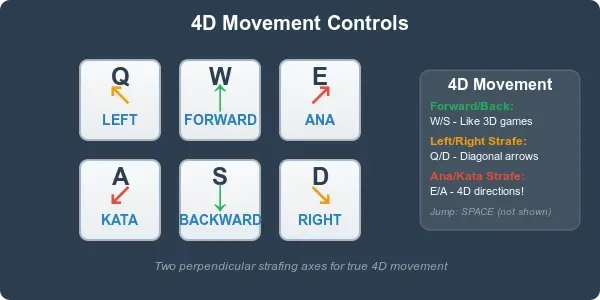
I mapped these movements to create an intuitive control scheme:
- Q — Left (↖)
- W — Forward (↑)
- E — Ana (↗)
- A — Kata (↙)
- S — Backward (↓)
- D — Right (↘)
Notice the diagonal arrows? This isn’t arbitrary. In 4D space, traditional “left” and “right” are actually diagonal relative to the new dimensional axes. The diagonal arrows help visualize how these movements relate to each other in impossible space.
The ergonomics are surprisingly elegant. Your left hand naturally falls into a pattern where traditional strafing (Q/D) uses familiar positions, while the new 4D strafing (E/A) extends logically from the home row. It feels like a natural evolution of WASD rather than a completely foreign system.
What Movement Actually Looks Like
Remember our grey cube “screen” from DevLog 0? This 3D projection space becomes crucial for understanding movement.
Here’s what it looks like to go forward:
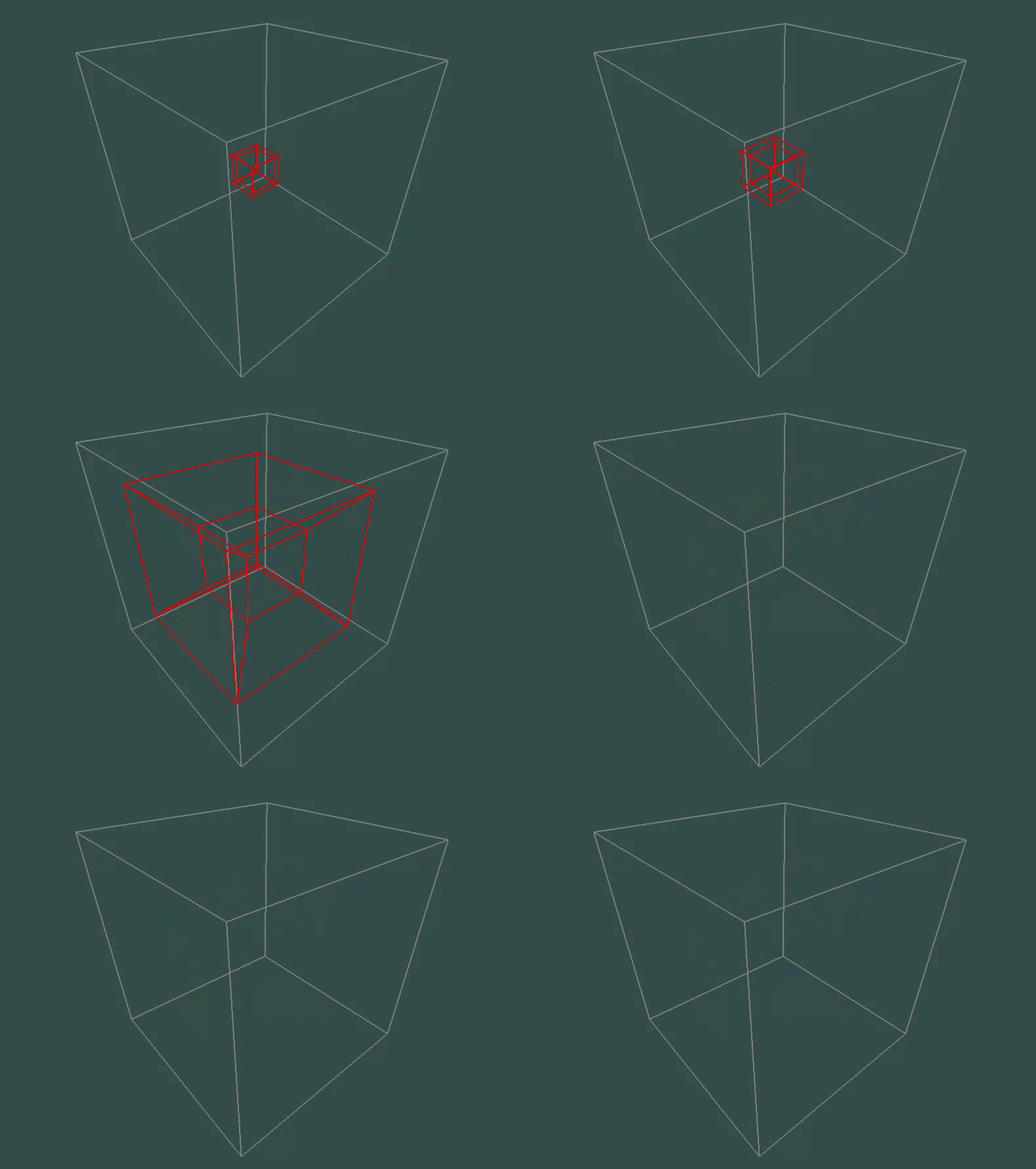
Moving forward feels (somewhat) familiar — objects in the 4D world approach you through the 3D screen, growing larger as they get closer. It’s exactly like walking forward in a 3D game, because the projection math works the same way.
And here’s moving “ana”:
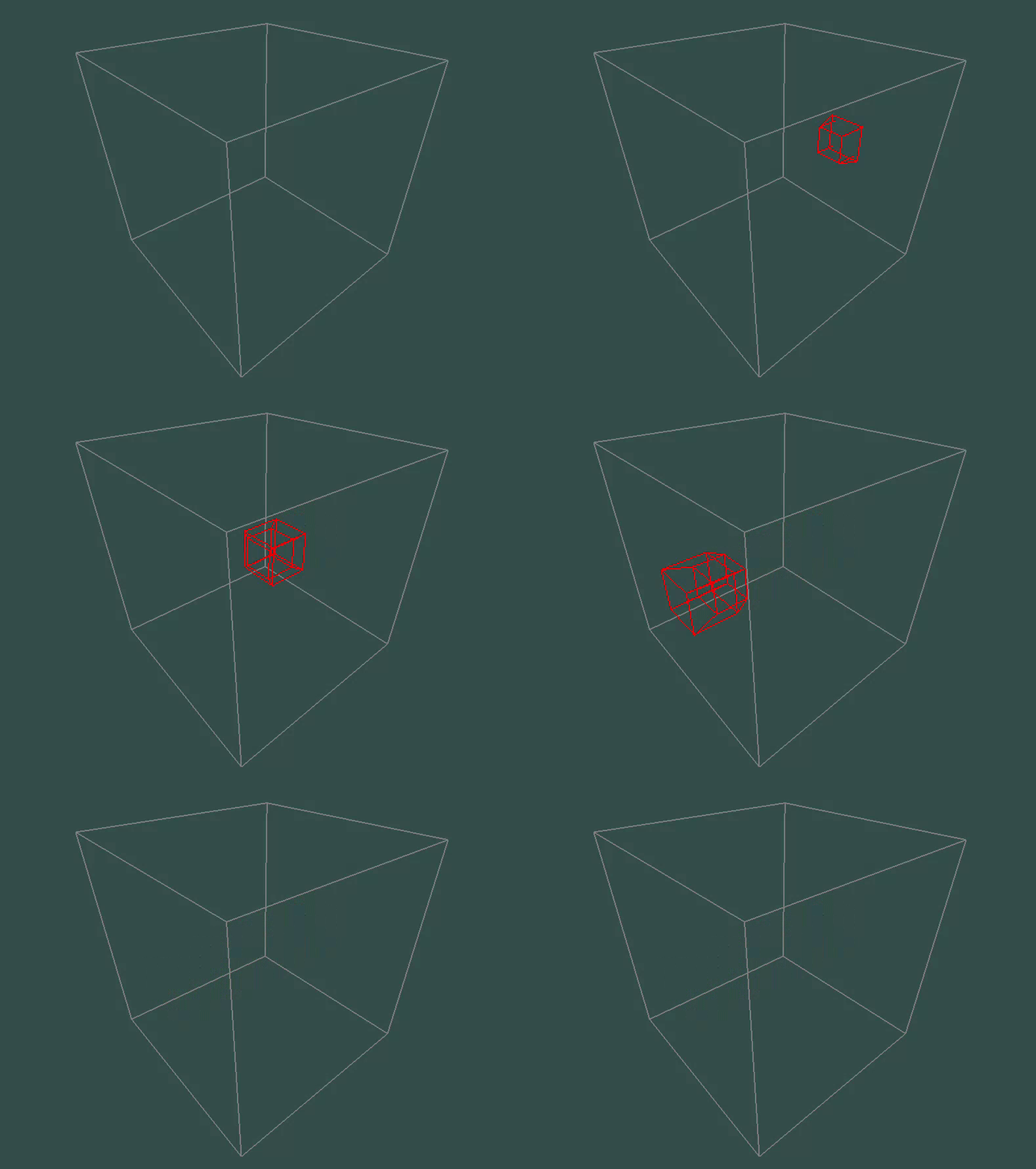
Who would have thought! Moving ana looks exactly like moving right — but in a perpendicular direction. Objects slide across your 3D screen in a way that seems like perfectly normal strafing.
The Illusion of Simplicity
It almost feels like moving inside a simple 3D game. And that’s intentional! By limiting vertical movement (no jumping yet), the experience becomes more manageable — much like how a 3D game without jumping is essentially a 2D game with depth.
But don’t be fooled by this apparent simplicity. We’re currently locked into a single 4D orientation. You’re looking in one fixed 4D direction, which constrains how you perceive the space around you.
Everything will change when we start to look around.
The Complexity Ahead
Right now, you can move through 4D space, but you can’t look around it. Imagine being stuck in a 3D world where you could walk in any direction but never turn your head. You’d have a very limited understanding of the space around you.
When we implement 4D rotation in the next post, we’ll unlock the ability to “turn your head” in four dimensions. I hope this will be the beginning of being able to experience the full vertigo-inducing, mind-expanding reality of 4D navigation.
Here’s what’s coming:
- 4D rotation: how do you “look around” when “around” has twice as many directions?
- The hypercube revisited: you’ve probably read about hypercubes plenty by now. But have you ever visited one yourself?
- First levels: simple movement lets us draft our first levels and mini games! What would you like to see made?
The Journey Into Impossible
We’ve taken the first step into navigating four-dimensional space. The controls work, the math checks out, and somehow — impossibly — it feels intuitive.
But this is just the beginning. Moving through 4D space while locked to a single orientation is like seeing a movie through a keyhole. The real magic happens when you can look around, explore, and truly navigate the impossible.
Next time: we’ll turn our heads in four dimensions and discover why “looking around” becomes an art form when you have twice as many directions to look.